Linking Your Twitch Account
To participate in Etherscape stream drops and other Twitch-integrated features, you need to link your Twitch account to your Etherscape account.
How to Link
- Launch Etherscape and log in to your account
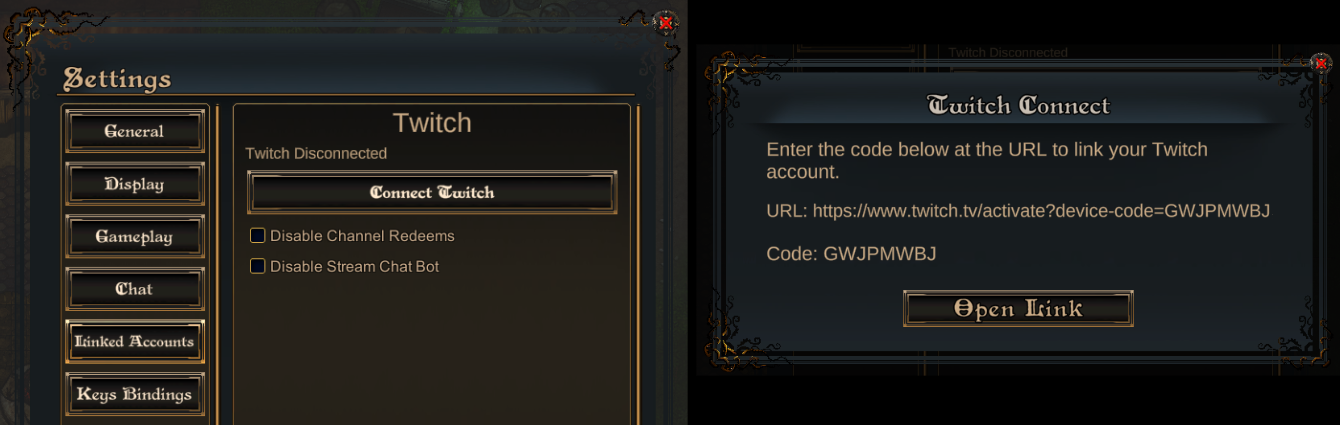
- Open the Settings window using the top left cog button and select the Linked Accounts section
- Click Connect Twitch
- A device code will appear on screen along with a URL.
-
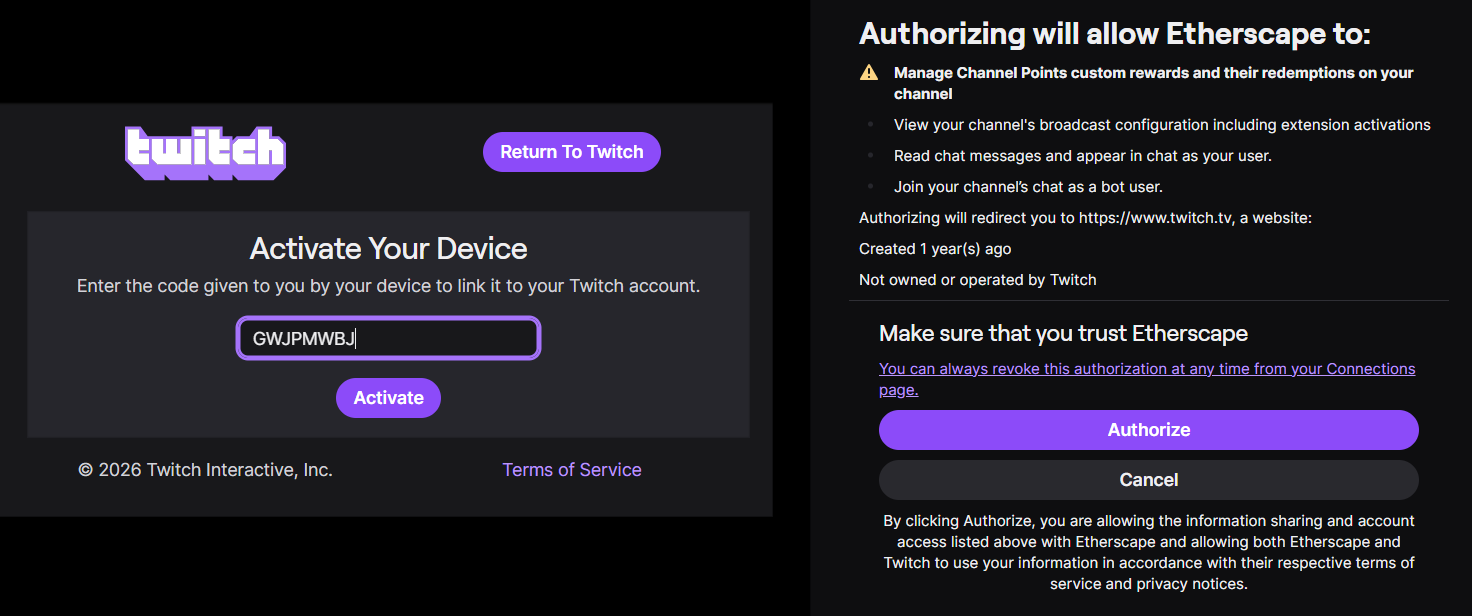
Click the Open Link button to open the URL in your browser. Or, copy the link into your browser manually.
-
Authorize the Etherscape application on Twitch
-
Once complete, the Stream window will show your linked Twitch account
That's it!
Your Twitch and Etherscape accounts are now linked. You're eligible for stream reward drops whenever you watch a linked streamer.
What Linking Enables
- Reward Drops — Participate in loot drops triggered by streamers you're watching
- Stream Features — You can stream Etherscape to your own viewers with the full set of features
FAQ
Do I need to be playing the game to claim drops?
: You need to have your Twitch account linked, but you do not need to be actively playing during the drop. However, you must participate in the claim window announced in chat.
Can I unlink my account?
: Yes. Open the Settings window and click Unlink Twitch Account. You can re-link at any time.
I linked my account but I'm not eligible for drops.
: Make sure you are watching the streamer's Twitch channel when the drop is active. Only viewers who participate during the claim window are eligible.